Reliability & operations · Build log
Keeping my site analytics in Loki for the long haul
A small Python worker polls Cloudflare's edge and Web Analytics APIs every hour, writes the data into Loki, and keeps ten years of history at about 1 MB a day.
I wanted to see visitors to all my sites in one place: hits, IPs, locations, pages, RUM/user behaviour. I started by pulling from Cloudflare’s edge. The edge showed me things my own server never logged: a home page request from China answered by the edge, a handful of scanners probing for /.env. Those requests never made it to the origin, so they never showed up in the access log. I’d been using the origin log as if it were the whole picture. That gap is why this project exists.
The second thing I learned is that Cloudflare forgets. I measured it in one-hour probe windows: edge data goes back 31 days, Web Analytics about six months. So I decided to keep history: a copy in Loki persisted for ten years via Loki’s per-stream retention. At about 1 MB a day, a decade costs almost nothing.
The result is a single small Python worker that every hour queries the Cloudflare GraphQL Analytics API for edge requests to each domain and Web Analytics page views + vitals for each site, then writes one JSON line per result row to Loki. A Grafana dashboard named “Sites” reads those lines. The sites include michael.zazon.us (discussed in How this site is built) and the bird site. If the worker ever gets more than three hours behind, it’ll warn me (analytics never pages me).
I chose to have Loki store the data because paths and referrers have a vastly larger number of distinct values than what would make sense in a metrics database like VictoriaMetrics as the first metrics database on my home server. I also chose to give the worker its own read-only Cloudflare token instead of using the bird site’s token. I didn’t want to have no worker at all and instead make live Grafana queries to Cloudflare because that would only show me what Cloudflare still remembers, and the token would be inside Grafana.
Building this was just an evening’s work, from first idea to working release. The edge polling used to happen inside the old poller in the bird site, so the new worker needed to take over that job losslessly. The handover went smoothly: for each domain, the old poller’s last hour was immediately followed by the new worker’s next hour, with no gap or duplicates.
The first version of the dashboard didn’t work because the tables collapsed to a single row and the top-pages panel hit Loki’s series limit. To my curiosity, this was mostly because of unwanted requesters: one day of edge data contained about 2,700 distinct host/path pairs, mostly scanners looking for files. A dashboard change and raising one Loki limit fixed that.
  # site-analytics' Sites dashboard ranks edge paths with topk(); Loki needs every series
  # first, and a day of Cloudflare edge data has ~2,700 distinct host/path pairs (mostly
  # scanner probes). Default 500. 2026-09-25.
  max_query_series: 5000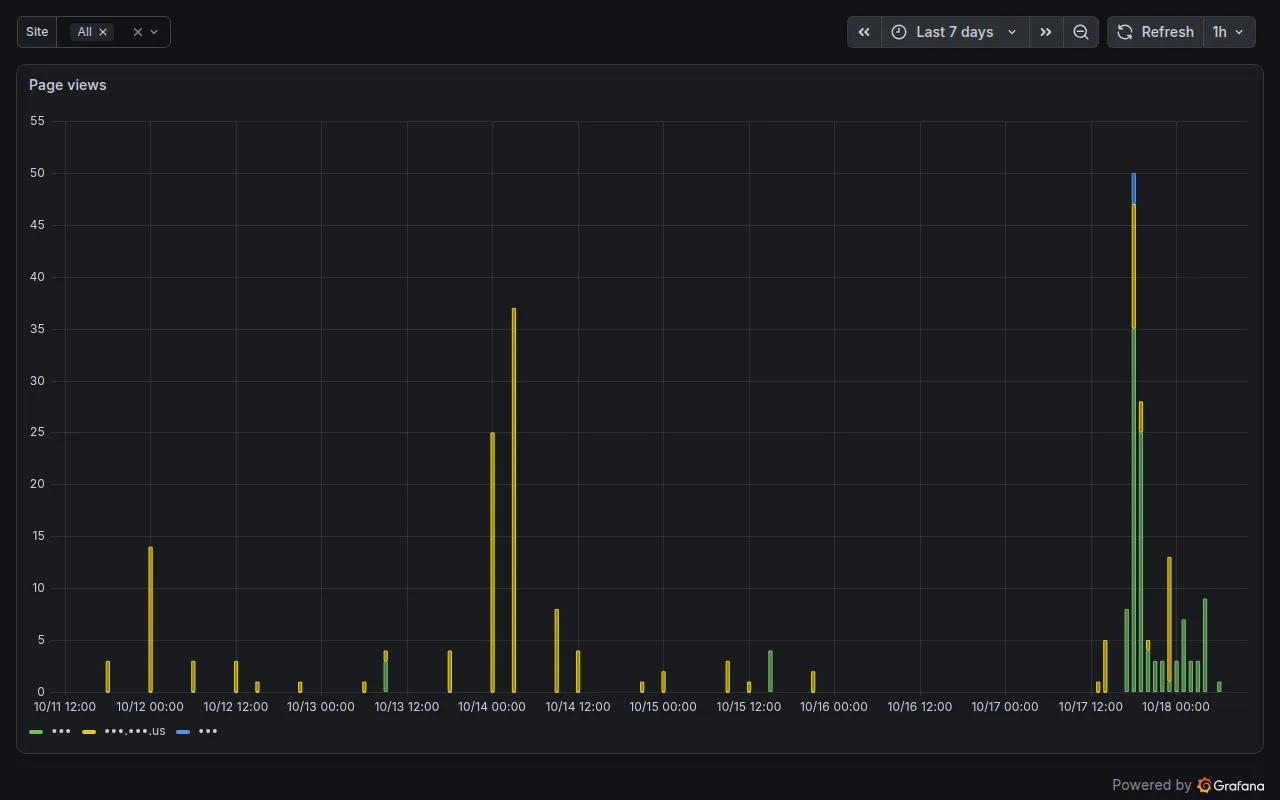
The most instructive problems were the quiet ones: these weren’t returning errors, they were just returning.. nothing. First, I found one by manually testing queries: I’d create a Web Analytics query window longer than seven days and get.. nothing. An eight-day window returned zero rows, but a seven-day window over the same data returned rows. If I’d trusted that empty result, I would have wrongly concluded that I’d had no visitors.
Tip
Don’t judge “no Web Analytics data” from a query window wider than seven days.. Cloudflare returns zero rows, no error.
The second quiet failure was more subtle: my third site wasn’t recording anything. It turned out that the redirect rule I’d set up for that domain was also matching /cdn-cgi/, where Cloudflare’s auto-injected beacon sends its reports, so they were all being redirected away without error. Once I excluded /cdn-cgi/ from that rule, recording started. I also discovered that one of my zones was injecting a second beacon per page, so I switched to only the hand-installed snippet.
Tip
If a redirect rule covers a whole domain, keep /cdn-cgi/ out of it.. the injected Web Analytics beacon sends its reports there and you’ll lose every one.
The last quiet failure is happening at home. My household isn’t represented in Web Analytics because my home DNS blocker resolves the beacon’s reporting domain to nothing, and my router forces all devices through it (Forcing every DNS query through AdGuard and the LG TV). I hadn’t realised that it was blocking the beacon I’d added myself, so now I’m testing from my phone on cellular.
Tip · Your DNS blocker hides you
My home DNS blocker resolves the reporting domain of the beacon to nothing, so I tested this from a phone on cellular.
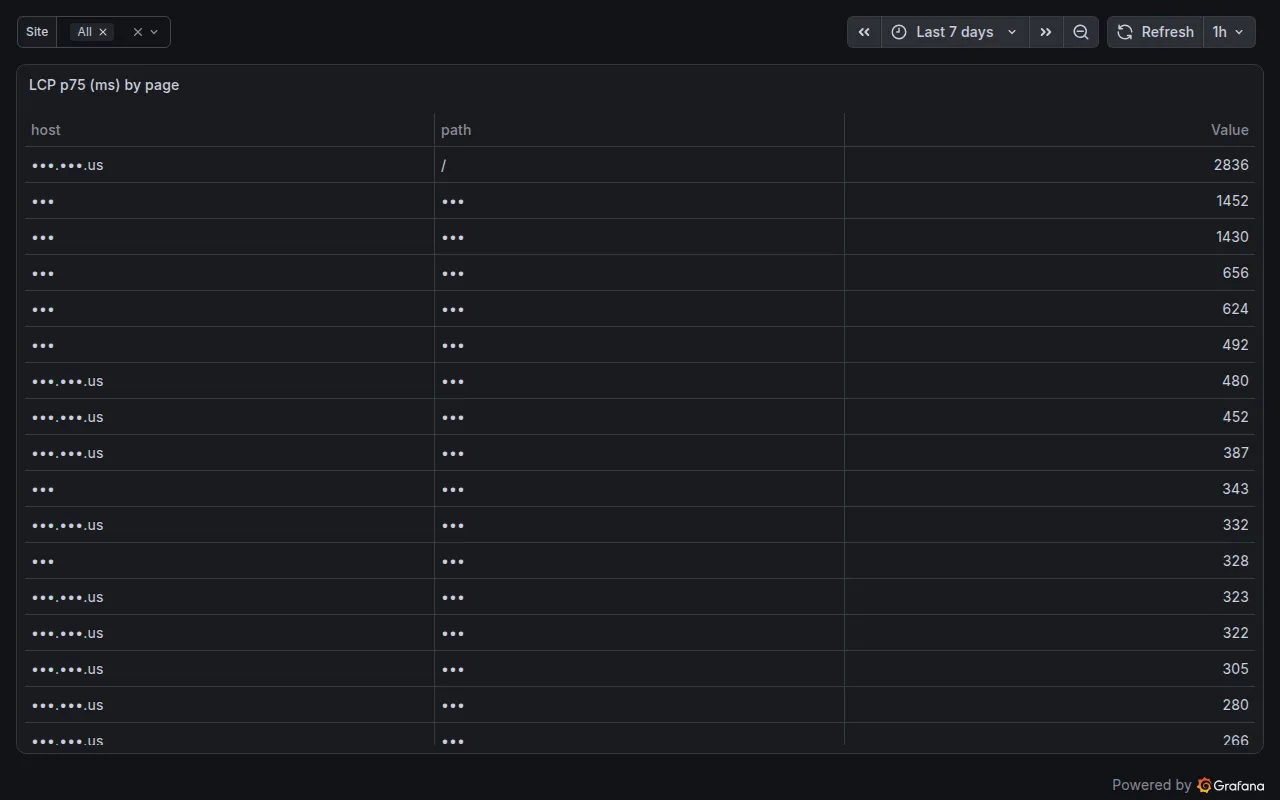
I still need to add the city and network lookup for each request that I left out of the first version, but in the meantime more history is piling up in Loki every hour.