Homelab & networking · Build log
I turned off band steering and the Wi-Fi got better
I spent two months tuning DAWN across three rounds on my OpenWrt APs, and the fix for my iPhone's roaming trouble was turning it off and letting 802.11r/k/v handle it.
With 3 APs and a possible 4th in the short term, I wanted to take advantage of the hardware as best as I could and get the best bands and APs for my devices, especially the ones that move around all day.
As we covered in OpenWrt to the rescue, this network has been running band steering and AP steering since I came back to OpenWrt. The daemon, DAWN, would monitor each client and nudge them to the band and AP it deemed optimal. On June 11 I disabled DAWN on all three APs, meaning clients would now be solely responsible for making those decisions themselves, using 802.11r/k/v roaming, which was already supported by the APs.
DAWN wasn’t my first attempt. Initially I enabled usteer on all three APs with roam_trigger_snr=-65 and min_connect_snr=-70, but those thresholds were too aggressive and my IoT devices started churning on and off the network. The next day I backed usteer off to passive mode, set the SNR thresholds to zero, and only enabled band steering. That day’s research also revealed that transmit power is the primary lever for steering, and that DAWN conflicts with 802.11r (also described in this OpenWrt forum thread about aggressive DAWN kicking with 802.11r/k/v). When I moved to OpenWrt 25.12.2 in early April, I opted for DAWN over usteer anyway, as I prefer it. It’s in the 25.12.2 package repos and can discover other APs via umdns.
I tuned DAWN in rounds. In the first round, within days, I noticed that DAWN was kicking an idle smart sound machine every 10 seconds (≈ 8,640 kicks/day) because its receive rate matched bandwidth_threshold=6, so it was considered a client worth moving. I lowered that to 2 and the kicks stopped immediately. In the second round, a couple weeks later, I targeted 2.4 GHz because the kitchen AP’s 2.4 GHz channel peaked at 76.8% utilization. I lowered 2.4 GHz’s initial_score from 80 to 60 and increased 5 GHz’s rssi_center from -70 to -65 to push dual-band clients to 5 GHz. (The logs later showed that the “Apple TVs” on 2.4 GHz were actually other devices, so round 2 targeted the wrong clients.)
In round 3, a few days later, I drew from the research report (which references 22 sources) and adjusted kicking_threshold from 20 to 15 and min_number_to_kick from 3 to 2. For 2.4 GHz, I set low_rssi_val to -73 (from -80) and rssi_weight to 2 (from 0). During the rollout, I discovered that DAWN had been down on all three APs (for how long?) because an Ansible task with state: started only starts a service that was down, but doesn’t restart it after a config change. I added a restart handler to the role.
Since mid-May, my nightly network health check started flagging my iPhone: it was flapping between the router and the kitchen AP, registering up to 10 connect/disconnect events within 1.5 hours, all fast-transition roams. The same report also listed nightly DAWN beacon-request failures (52 the first night it was flagged, 38 a few weeks later), so I suspected DAWN was behind the roaming trouble.
The router and kitchen AP logs confirmed my suspicion: DAWN was sending 802.11k beacon requests to my iPhones (asking them to measure audible APs and report back), and they kept failing. My iPhones were using private Wi-Fi addresses, and the failed requests were followed by inactivity deauths that kicked the phone off the AP. Switching DAWN to passive mode didn’t help: kicking=0 prevents kicks, but not measurement requests.
A couple of months and multiple troubleshooting rounds later, after weird network behavior, DAWN ended up causing more headaches than it was solving. Even passive mode for DAWN didn’t stop it. I ended up simplifying and going back to 802.11r/k/v, and lo and behold: seamless roaming for the iPhones and Macs.
Disabling it was just two Ansible changes: setting openwrt_dawn: false for all three APs, and adding a teardown task (omitting the DAWN config alone doesn’t stop the daemon where it’s already installed). A quick post-run check confirmed DAWN was stopped and disabled at boot on all three. Roaming is now fully client-driven with 802.11r fast transition, hostapd’s 802.11k neighbor reports, and 802.11v BSS transition, all verified identical across the three APs. The options are documented in OpenWrt’s Wi-Fi configuration docs. Fast roaming between APs was already working fine, as evidenced by the fast-transition roams in the health check.
The next night’s check showed zero DAWN beacon-request failures. My iPhone still flapped at the same spot (SNR 14 / -78 dBm), but when I investigated that weak spot, it was just my iPhone in the bedroom connected to the kitchen AP on 5 GHz at -82 dBm (SNR 10).. the edge of the kitchen AP’s coverage, not a client stubbornly clinging to the wrong AP. So I closed the roaming check and left DAWN off. (This isn’t a clean before/after comparison: the same day I also put the new third-floor AP into service and turned off the router’s own radios, so multiple things changed at once.)
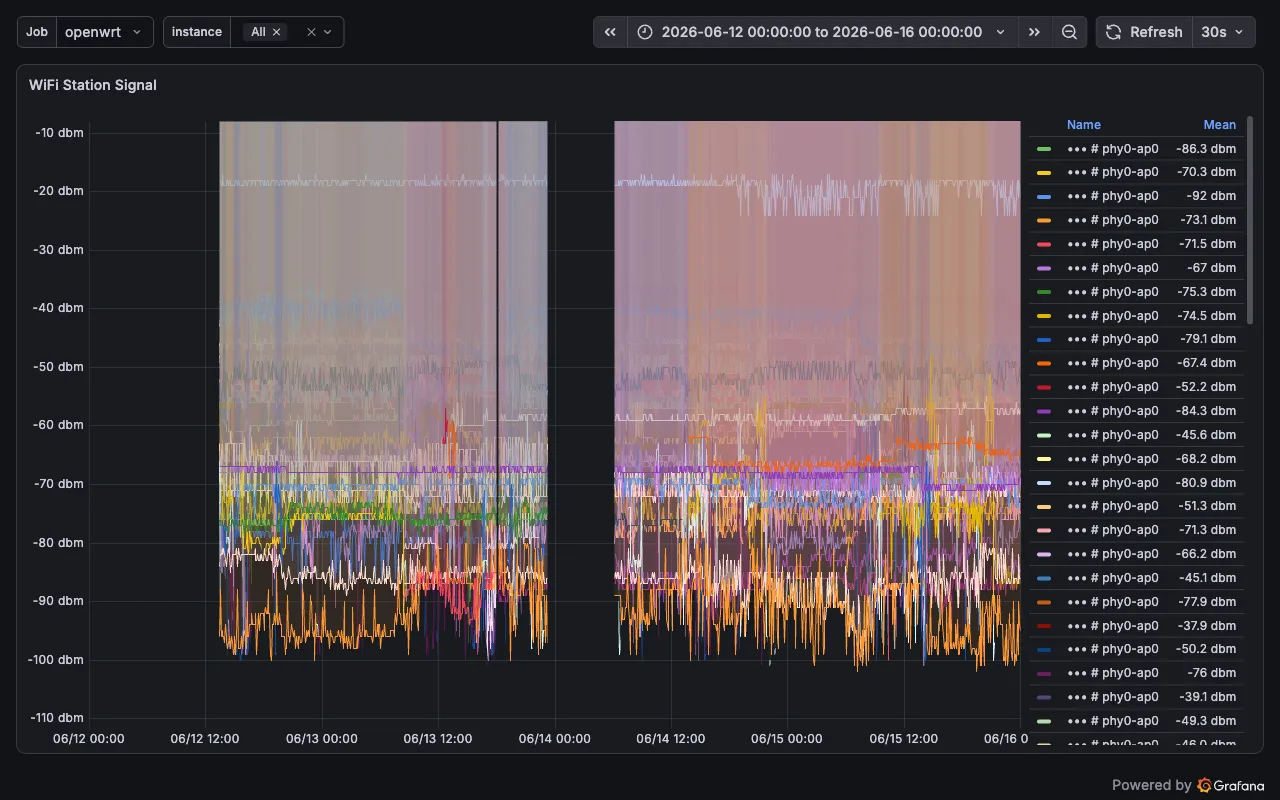
Without a steering daemon, clients that don’t support 802.11r might stay connected to an AP for too long. A day later, I noticed my Sonos Roam was stuck to the far living-room AP at -93 dBm, even though my iPhone was right next to it connected to the near AP. The Roam doesn’t support 802.11r, so my only options were to power-cycle it or deauth it to nudge it onto a better AP.
With a little more tweaking of power levels to let the client devices pick what’s best for them, I have found really good stability.
Next up.. getting metrics and logs off all the network gear.