Reliability & operations · Build log
My AI sysadmin and security agents assessed my homelab
After a full Ansible audit I had the AI agent grade my homelab, and the five red flags it found were worth more than the scores.
An audit of my Ansible code vs the live hosts took most of a day. The end state: every playbook made zero changes, both on check run and real run. Along the way I defused a bunch of live landmines, like a WiFi package that kept reinstalling itself on every real run, bouncing WiFi every time. Once clean, I asked the AI agent (which had just touched every host) to grade the entire homelab against best practices. See also: Ansible manages every config on my router and access points
The result was a written review that started with a scorecard, then listed problems from urgent red flags through to tech debt, and closed with some lessons learned about how the work went. I doubted a review by the same agent who did the work would reveal anything new.
It gave me strong marks for deployment, backups, and docs, but weaker marks for security and drift detection. The summary described it as a “top-decile homelab” with weakness “concentrated in continuous assurance.” In other words, it’s well built, but nothing is actively ensuring it continues to be well built. The lowest mark was for security posture: a B-.
Note · The grader did the work
The grader had just done the audit itself, and the review says so in its own text. I read the grades with that in mind; the list of problems was the part I could check.
More important than the grades are the red flags, each of which is a concrete thing I can check, fix, or rule out. There were five of them:
- No offsite backups.
- Autoheal restarting every unhealthy container, not just the ones I picked.
- Password SSH still on for the router.
- The router as a single point of failure, with a recovery runbook I’d never actually tested.
- Nothing alerting on host health.
The audit takeaway from that review that stuck with me more than any grade was: “unexercised Ansible rots invisibly.” Code that I ran regularly was fine, but the landmines were all in playbooks that hadn’t been run for a while. That made me wonder: what else in the lab is working only because nobody’s touched it lately?
The next morning I picked a few cheap things and started with the ones that had been hanging around the longest for no good reason. Removing the old server from the tailnet had been on the list for five work sessions, and it turned out to be a single call to the Tailscale API to delete the device. “Close the 30-second tasks” was one of the lessons from that review.. and I had to admit it was right. (see also: Audit the box before you wipe it)
Next up was autoheal. docker-autoheal had been watching every container, so I switched it to opt-in mode so it only restarts containers with a label. I left the auth proxy unlabeled on purpose, because a blind restart could mess up the login state it holds. (see also: Autoheal opt-in and healthchecks that actually test something for the longer story, and How a deploy works with Dockhand for the deploy side)
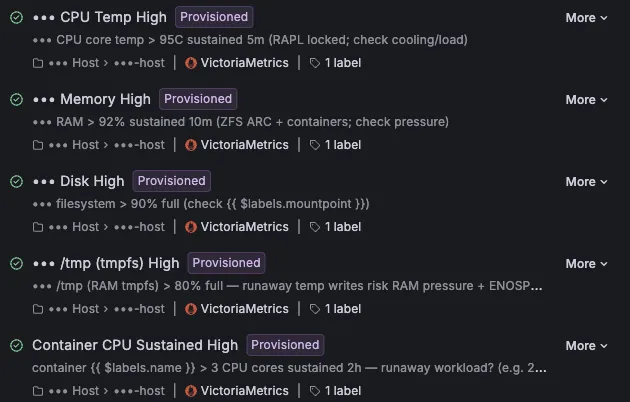
The “no host alerting” flag was.. wrong. I’d set up host alert rules (disk filling up, host going quiet) that went to my phone five days before this review, but the claim had outlived the fix by five days in my notes and the review. I proved that end to end by making a throwaway always-firing rule and putting it through a real Grafana notification policy. Both pings made it to my phone, so I deleted the test rule and marked that flag stale.
Tip · Check it’s still a gap
Before scheduling work on a gap from a review or from your own notes, check it against the live system. A note can say something is missing long after it was fixed.
Disabling the router’s password SSH took longer than you might think for something that size. Before making the change, I checked that I wouldn’t get locked out and discovered I hadn’t backed up any SSH keys in 1Password. My first attempt at backing them up saved the key in an unreadable form, which I only caught by testing the restore. Storing it as a document fixed that and let me restore it byte for byte. The router’s logs showed that my phone had been logging in with the main server’s key, not the one I thought it was using. So I based the change on the keys I knew were in use from the logs, not just the ones I had installed. That let me turn off password SSH in dropbear settings while keeping the web interface’s password login as a way back in. (see also: OpenWrt to the rescue for this router)
At the end of day two, I’d fixed two red flags, struck one as stale, and still had offsite backups and a router recovery drill to do. I’ll get to those soon. The weekly drift check, which is how I’ll try to avoid the kind of rot the audit uncovered, got parked on the backlog. The list is worth having, but every line needs a check against the real system before spending time on it. Next up to check and build: offsite backups.