My Obsidian setup and how I use it
My Obsidian vault is a folder of plain markdown where my notes, tasks and agents all work together.
I have used Obsidian (and other text-based note-taking apps) for years. Early on in my professional journey I chose to implement note taking in plaintext and markdown. An Obsidian “vault” is just plain markdown in a folder, it syncs across my machines, and agents can read and write it like any other files. So it became a natural place where agents and I can collaborate, where I can oversee and orchestrate my fleet and have complete visibility into output.
Obsidian is an app on top of a folder. The folder is what matters. My notes are just files, so there’s no special agent integration. The agent opens a note the same way I do in my editor. This site publishes from the same vault (more on that in How this site is built).
One file per task
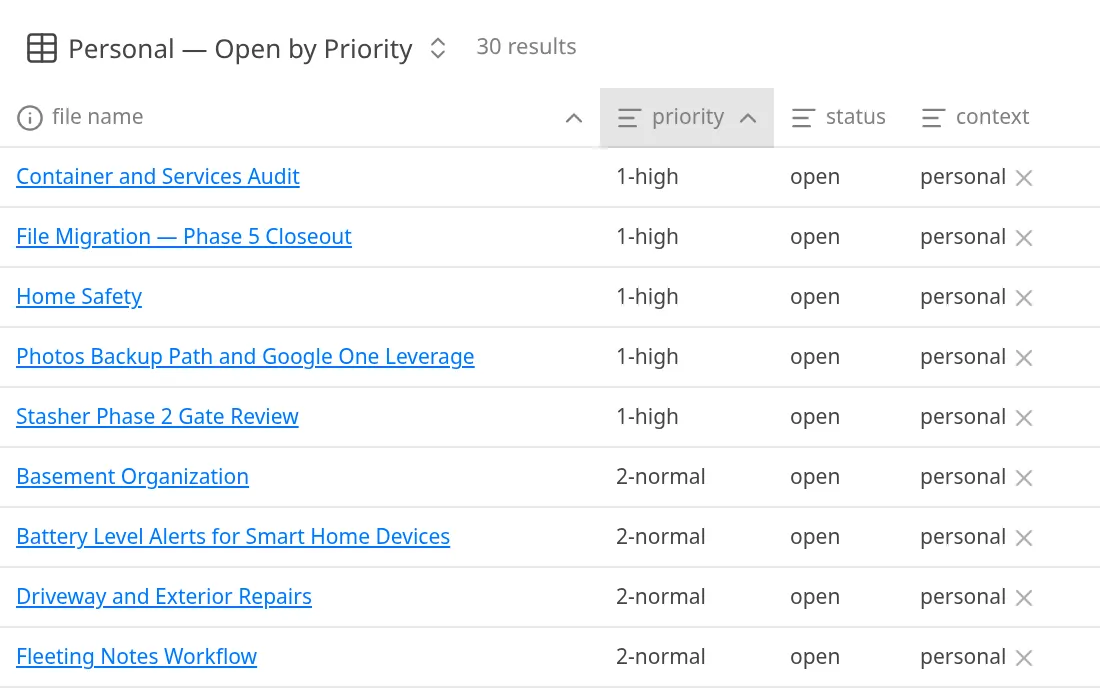
Tasks live as notes (via the brilliant TaskNotes plugin), so agents and I work from the same list. I use a few Bases views of my TaskNotes as my daily triage.
TaskNotes replaced both TODO.md and Linear for all my task tracking. Each task is a file, so agents updating different tasks never conflict. The Assignee property lets me mimic Linear’s states when handing work to an agent. I migrated about 70 tasks (most from the old TODO.md, the rest from Linear) and numbered priorities from 0-critical to 3-low so Bases views sort properly, making my triage view instantly readable.
Nothing gets past the inbox
I use the Inbox methodology religiously: nothing makes it into the vault past the inbox until it’s been reviewed by me and is properly formatted and linted.
All new items end up in _Inbox/ first, either captured by me or written by an agent. The shared agent inbox skill makes two passes over the folder, with a gate before deletion, so nothing leaves until I review it. I was able to triage my inbox from 17 files to 0 in a single session, with each note routed to its home folder and given its vault frontmatter. That gate is why agents can have write access to the vault.
Frontmatter is the contract
I have strict rules on frontmatter in my markdown within my vault. A shared schema / contract is critical. For example, anything that is purely agent created in my vault gets a property in frontmatter so I can trace back the provenance of where that note came from.
Some core fields on every note are type, context, created, modified, tags. I have a provenance property called ai which is set to true for notes created by agents (session handoffs, transcripts, etc) and false for my own notes. Transcripts are machine generated and may have errors that the native captions wouldn’t so I mark them as ai: true along with the name of the model that produced them. This way I can filter them for review and know which ones to re-run after a model upgrade. Here’s an example of the frontmatter from a project note, trimmed for brevity:
---
type: project
context: personal
created: 2026-07-14
modified: 2026-10-20
ai: true
status: active
summary: Containerized Obsidian ...
tags: [self-hosting, devops]
aliases: [Obsidian Container]
---
Tip · Settle your frontmatter early
If you’re building a vault that agents will write to, lock in the shared fields before the first agent note lands. Every agent writes to the same contract from day one, and every filter or view you build later covers all of it.
Search first, write back after
The agents search the vault before they answer and write their handoffs back into it, so the next session picks up where the last one stopped.
I’m using niko for search and Memento for agent memory, and the same search covers my saved Reddit archive from Stash (now in its own store outside the vault). When a session ends, the agent writes a handoff note to _Agents/claude/sessions/ with type: session and handoff: true in the frontmatter. 810 of them so far, and they mean the next session always starts with context from the last one without me having to re-explain the project.
The plugin stack
- TaskNotes so every task is its own note
- Bases for my triage views
- Templater for note templates
- Linter to keep formatting consistent
- Local REST API so agents and scripts can talk to a running Obsidian instance
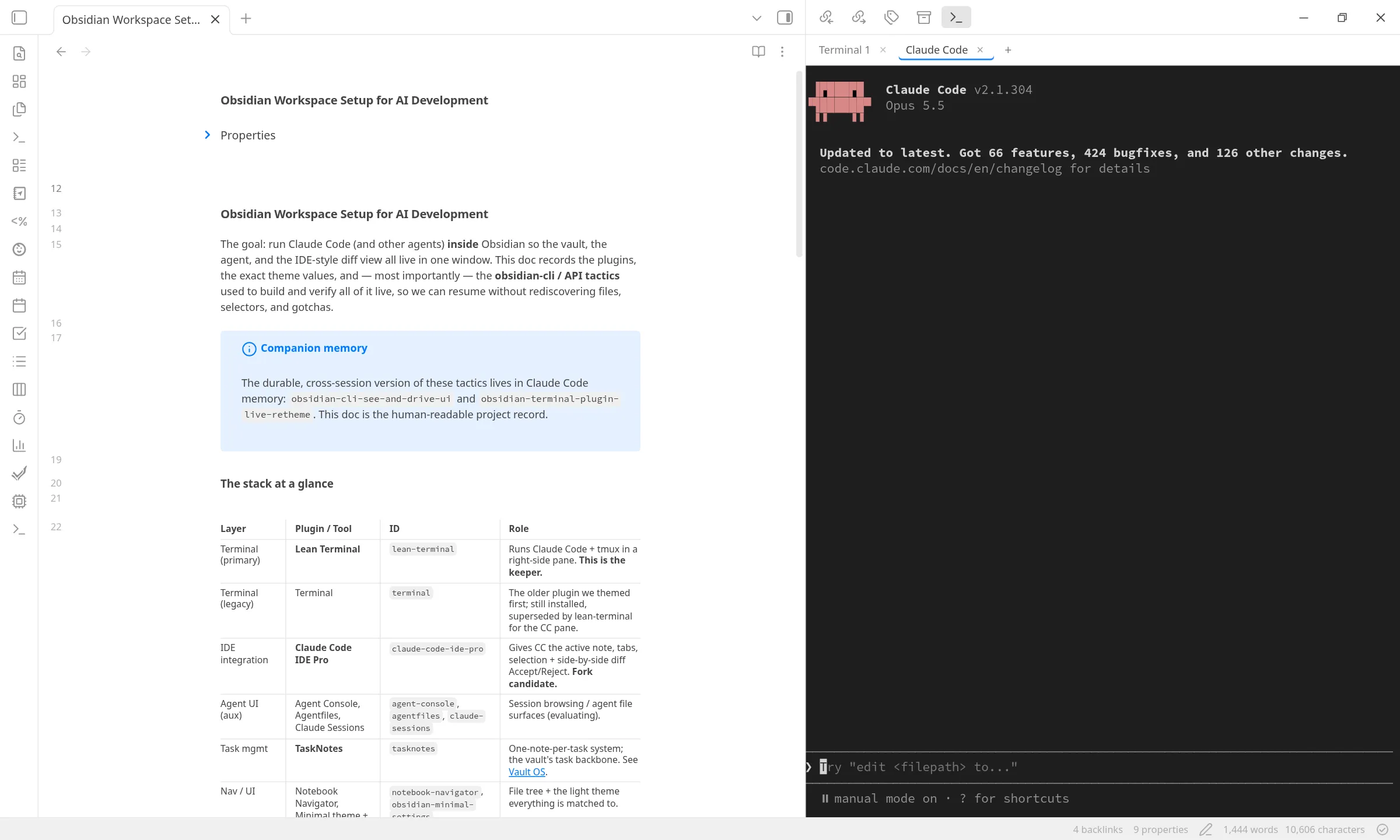
- Lean Terminal for a terminal pane right next to my notes
- Minimal as the theme
The terminal pane is the biggest change to my workflow. I can now run Claude Code in a Lean Terminal pane next to my current note, so writing, tasks, and agent direction all happen in the same app. One surprise: the Tasks plugin’s autosuggest captured Tab app-wide, so tabbing in the terminal indented the note. A small local plugin (suggest-focus-guard) fixed that, and I filed the issue upstream.
My vault now has an always-on copy: the real Obsidian desktop client, headless in a container. With Obsidian Sync and the app’s APIs enabled, my agents now always have a running instance of Obsidian to work with. I’ll explain how I set that up in my next post.