Homelab & networking · Build log
BirdNET listening in the backyard
The first evening's fixes took it from 2 detections to 120+, but the second model was loaded and never routed audio, so every detection for 22 hours was BirdNET only.
My backyard is full of birds that I can hear (the whole setup is in the project intro), but the first bird-listener I built didn’t pick up almost any of them. When I ran it, the list of detections only had 2 entries, both of which were Grey Catbird. So while the container was up and the web UI loaded, making it look like it was working, practically speaking it was almost totally deaf.
I set up a USB microphone connected to BirdNET-Go, a Go application by tphakala that identifies birds from a live audio stream. It runs Cornell Lab’s BirdNET model and Google’s Perch model, and I wanted to run both. I deployed it with Docker using an Ansible playbook, similar to how I described in Ansible manages every config on my router and access points.
Getting it to listen
First, I was mounting my configuration at /config, but the application was looking for its configuration in its home directory, so it didn’t find anything and generated a default configuration instead. The default audio source was the sysdefault audio device, which of course wasn’t available in the container. The settings I’d written weren’t being read. Mounting the configuration folder at /home/birdnet/.config/birdnet-go fixed this.
Warning · Mount config at home dir
The /config mount is ignored and BirdNET-Go generates a default config instead. Mount the config folder to /home/birdnet/.config/birdnet-go instead.
Once I had the config being read properly, I lowered the detection threshold from 0.8, because having several birds in the same three-second analysis window dilutes each confidence, so a high threshold filters out real calls. Within a couple of hours, I went from 2 detections to over 120 detections of 10 species.
The next issue was new detections being saved to the DB without an audio clip or spectrogram, and the UI showing loading spinners. This was due to another auto-generated config value: a loudness range of 0 caused the FFmpeg loudness normalizer to crash without a useful log. Setting loudnessrange to 7 brought the clips back.
Perch was installed but deaf
I had previously switched from the latest image to dev because latest had become a stale March build that lacked the ONNX runtime that Perch requires. I installed Perch v2 that evening, loaded it without restarting, and it showed as enabled. But when I woke up the next morning, Perch hadn’t received any audio. For 22 hours, all 1,638 detections in the DB were from BirdNET only.
There’s a difference between a model being enabled and a model actually getting audio. The top-level models.enabled are only the models that are available. But each audio source has its own models list that determines which models it sends audio to, and I’d only listed birdnet there. I also hadn’t turned on the false positive filter, so it was logging “False positive filtering is disabled current_level=0”. A clue was the maintainer’s Perch announcement thread on r/BirdNET_Analyzer, which said the filter must not be left at 0 if using Perch. I added Perch to the source’s model list, set the filter level to 1, and set the overlap to 2.0 (the minimum for level 1).
 birdnet:
     sensitivity: 1.2
     threshold: 0.5
-    overlap: 1.5
+    overlap: 2.0
 realtime:
           models:
             - birdnet
+            - perch_v2
     falsepositivefilter:
-        level: 0
+        level: 1
I went with the relatively lenient level 1 setting, even though the maintainer recommends moderate or higher for Perch. I wanted to get some baseline data before tightening it up. At first, this didn’t seem to make a difference, but that’s because docker compose restart was using the old cached config. Only a full recreate applied the change.
# docker compose restart keeps the cached config; recreate instead
docker compose down && docker compose up -d
Once I recreated the container, the logs started showing detections from both models. It discards individual hits until both models agree, and immediately Perch was detecting more than BirdNET. Each was picking up species the other wasn’t: Perch caught a Carolina Wren that BirdNET missed, and BirdNET caught a Red-bellied Woodpecker that Perch missed.
The nonsense from that night
The BirdNET-only night left me with nonsense data. The worst offender was a Eurasian Wigeon (a European duck) with 7 detections in the dark at 0.97 confidence. This matches a known upstream issue #2741 where car horns are identified as Trumpeter Swans. Low-confidence detections and out-of-range detections are flagged as unlikely (but not deleted, to keep an audit trail for reviewing single-model errors).
Clipping at the tail end
Another problem I caught by ear was distortion at the ends of clips, which was also visible on the spectrograms. It turned out that every sampled clip peaked at 0 dB full scale, because I’d set the export true peak limit to 0. Reducing that to -1.5 dBTP created some headroom.
             normalization:
                 enabled: true
                 targetlufs: -10
                 loudnessrange: 7
-                truepeak: 0
+                truepeak: -1.5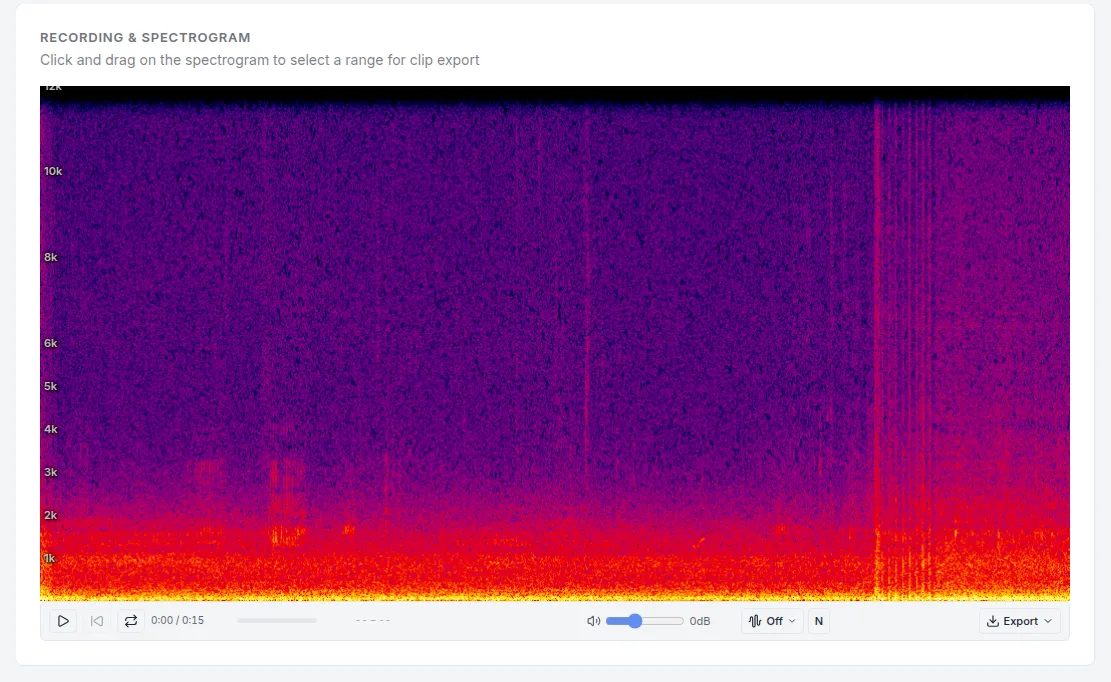
Two models, one rule
At this point I have it set up so that both models need to agree for a detection to count, so the false positive filter is really on. I’ve started recreating the container and checking the logs for detections by both models after any configuration change. I’ll watch the data for a day or two and then decide if I want to tighten the filter further.
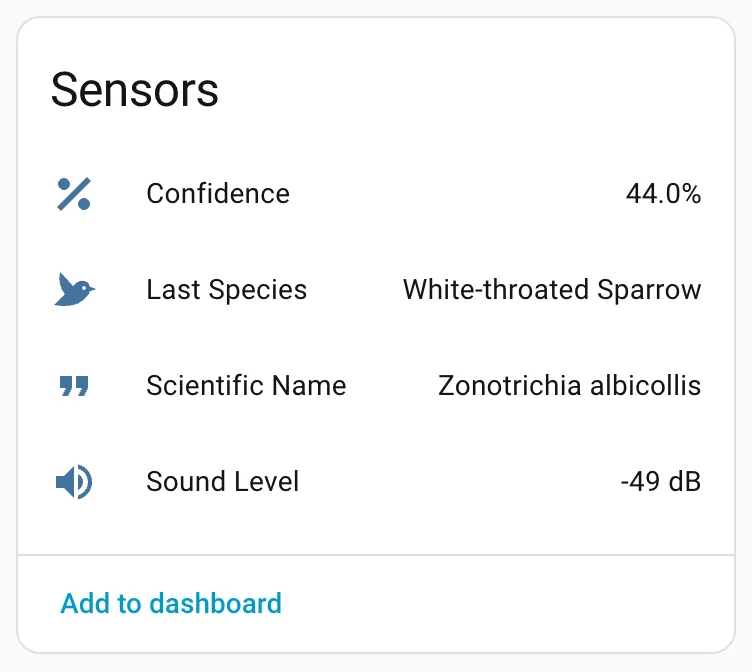
Home Assistant already receives every detection via MQTT through Mosquitto, with both the species and confidence level exposed as entities. Next idea is to have it announce each new species aloud in the house.