A doorway thermostat for our Mitsubishi heads
An Aqara W100 by the door gives each Mitsubishi head the real room temperature and a two-way control on the wall for about $30 per device.
With all 9 of our Mitsubishi heads talking to Home Assistant via CN105, I wanted a better thermostat for each room.. I went with the Aqara W100, a small battery powered Zigbee display with a temperature sensor inside. These replace the stock Mitsubishi remotes we used daily until this point.
We chose to mount the W100 at the wall by the door in every room. Partially because that’s a much better thermostat location than the ceiling where the split is, but also because we inherited the house with the Mitsubishi remotes attached to the same spot (above the light switch in each room entry) so it made sense from an experience perspective (and the screw holes were already there!) A great part about the upgrade aside from the thermostat enhancement is the two way communication with Home Assistant via Zigbee. When automations trigger modes, the remote reflects it (set point, fan speed, etc.) compared to the Mitsubishi remotes which are one way (they only know their own state, so if HA changes something the Mitsubishi remote doesn’t know about it). Furthermore, the controls are very intuitive (plus minus and a mode button) and this leads to a really nice and snappy user experience.
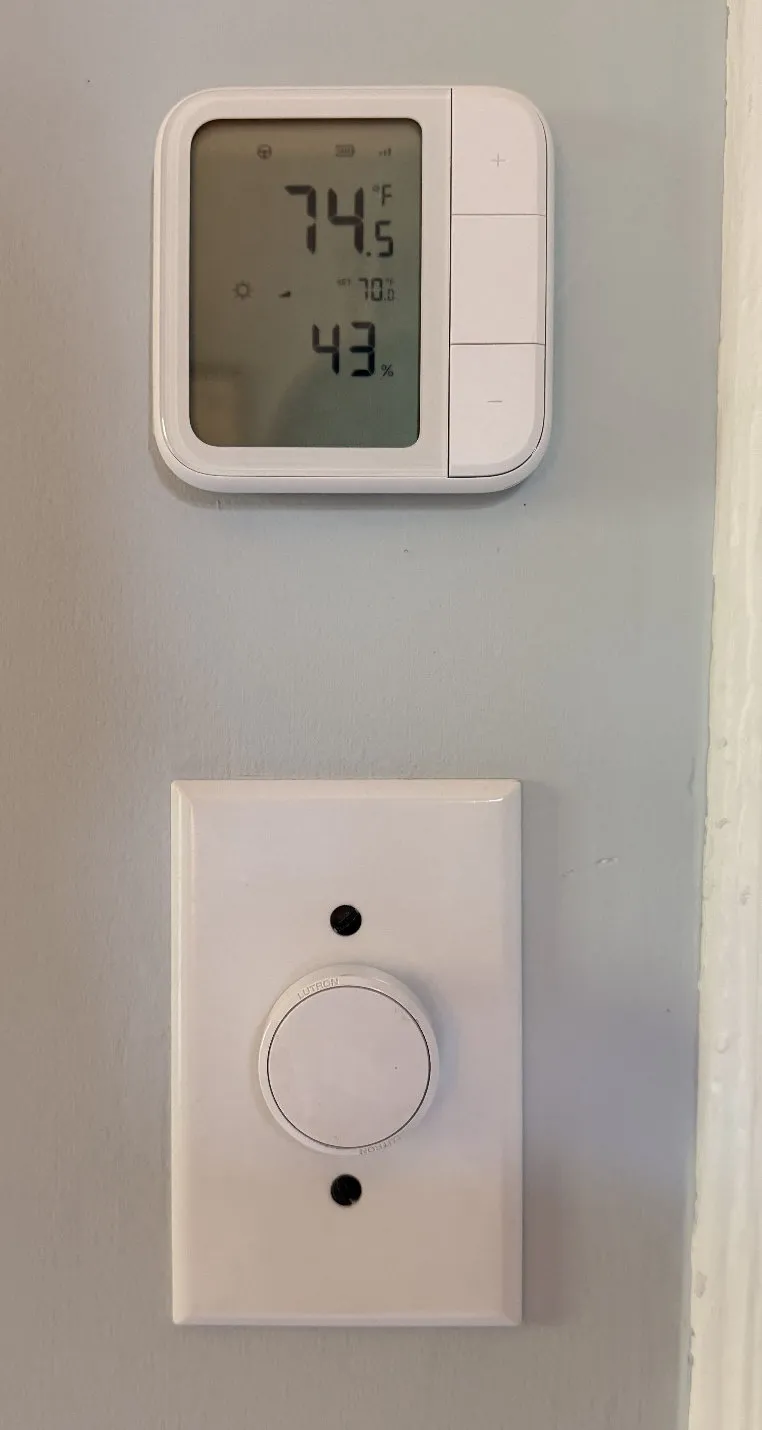
Teaching the head to listen
Out of the box, the head regulates on its own return-air sensor up at the ceiling, so I needed to figure out how to get it to use the W100’s readings. The MitsubishiCN105ESPHome component exposes an obvious option for this: remote_temperature_source, which takes a Home Assistant sensor. Perfect! But Home Assistant’s ESPHome integration only forwards state changes, so if the room is steady, the head would get no updates and silently fall back to its own sensor. Darn it… But! The firmware exposes a set_remote_temperature action, so I have Home Assistant push the W100’s reading to the head every 5 minutes, but only while the W100 has reported in the last 12. If 15 minutes go by without a push, the head reverts to its own sensor, so a dead W100 or Home Assistant going down can’t strand a room.
Some GL06 owners report the unit overwriting the remote value with its own value, so I wanted to check that. I did a 15 minute cooling capture and observed the head following all pushes across 269 reads, never falling back on its own sensor. So in my case, the overwrite didn’t happen. I also observed a kid’s room turn off when the W100 reached setpoint, not the head’s own sensor, later that evening. I’m also listening for these possible events in my logs and alerting on it if it happens. I’ll update this post with any findings.
The W100 can be run in button mode or thermostat mode in Home Assistant. Button mode gives clean presses and 1 degree F steps but the screen can’t show heat/cool. We opted to go with thermostat mode.. since having the snowflake icon or flame icon on the wall matters a lot in our shared compressor situations where multiple heads on the same outdoor unit can’t run different modes (as I alluded to in the past). It pairs right up to ZHA with no Aqara hub required and no cloud required after setup via a community quirk (W100 support is not yet upstream).
Better rooms, fewer short cycles
We are seeing consistently better room temperature and less short cycling of the units with this change, and it lets us achieve better room comfort more reliably. The user experience is also top notch. We are also able to have one thermostat act as a zone climate controller (something we’re working on) rather than controlling an individual head, we can control a group of them and have a single set point, making the system a little more user friendly.
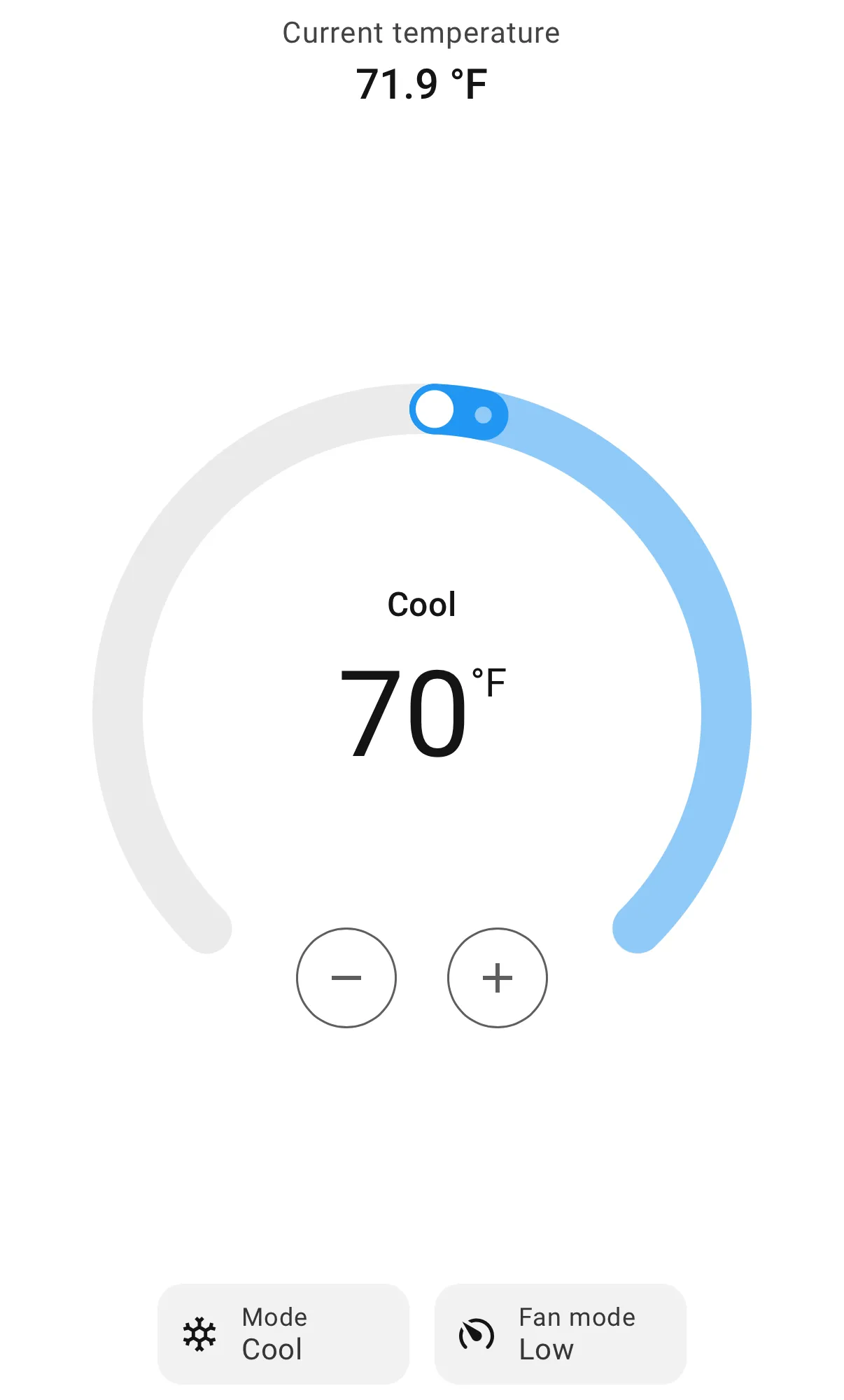
The fine print
Soo, the drawbacks: these are battery powered units and we made them report temperature changes more often. As a result, we expect a battery life in months not years as advertised, but we’re ok with that given our needs. There is also the quirk that this device even though configured to display in Fahrenheit sends commands in Celsius which Home Assistant has to interpret. I believe we have found an acceptable solution for now.
The setpoint traveling between the W100 and Home Assistant is whole degrees Celsius in both directions, but the screen steps in half degrees. So every second press is a change to the AC, and a single half-step press doesn’t send anything. I had a case where the screen said 71 but HA said 69.8. I added a resync that pushes the real setpoint from the AC back to the screen a minute after any activity, and every 15 minutes. One other quirk: 79 °F doesn’t exist. HA offers it, but the head maxes out at 26 °C (78.8 °F).
The reporting change is what costs the battery. By default ZHA had the W100 reporting on a 0.5 °C change, at most every 15 minutes. A kid’s room was overshooting setpoint by 4 to 5 °F on each cooling run. On Oct 4 we changed it to 0.1 °C changes, between every 30 seconds and every 5 minutes, and the overshoot stopped.. the battery pays for that.
A W100 in every doorway
We aim to have these for all second floor rooms and one for our main floor which includes the kitchen, living room, and dining room units (somewhat of an open floor plan so treating them as a zone makes sense).
That main floor zone is the job for the coordinator, which is up next in this series. That is, one set point for a group of heads, and the system figures out which heads run and in what mode.