SYMFONISK remotes to ZHA, and retiring the IKEA hub
I captured every gesture from both SYMFONISK remotes, wired them straight through ZHA to the living room Sonos, and unplugged the DIRIGERA.
I kept the IKEA DIRIGERA hub running for 2 devices only: a pair of SYMFONISK remotes on our coffee table for controlling the living room Sonos. This summer I’ve been consolidating all my vendor hubs into Home Assistant (I’ve already retired SmartThings, removing the integration and unplugging the hub), so this 2-remote hub seemed like the next to go. As always, the guiding question was: can Home Assistant do the job without me losing anything I actually use?
Yes, with one small loss. Both remotes are plain Zigbee devices: the round knob is a SYMFONISK Sound Controller (E1744, firmware 24.4.5) and the button remote is a gen2 sound remote (E2123, firmware 1.0.35). The hub also acts as a Thread border router, but I already have an Apple TV doing that, and my Home Assistant Thread and Matter integrations are loaded with zero devices. Core Home Assistant doesn’t have a DIRIGERA integration (only HACS), so once the remotes move, there’s literally nothing left on the hub I need to talk to. The only real loss is the two playlist presets I’d configured in the hub.. those don’t migrate.. but I pulled the hub that weekend.
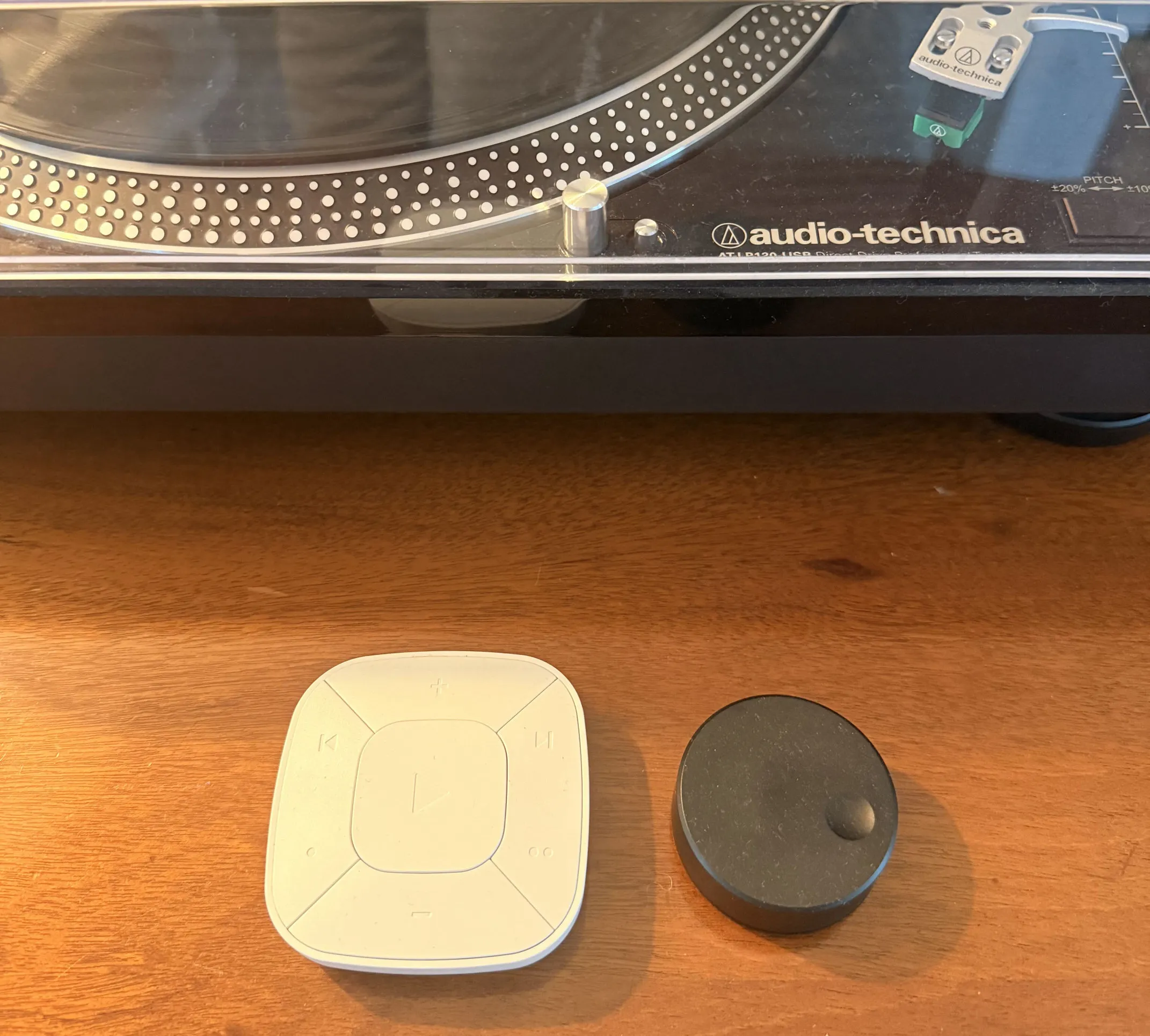
I’m already running Zigbee natively on ZHA with a Sonoff Zigbee 3.0 dongle (I moved off Zigbee2MQTT earlier this month), so these remotes joined the same radio everything else is on. Now a remote press goes through the dongle, triggers a zha_event from ZHA, which Home Assistant automations pick up and send to the living room Sonos via the Sonos integration. Pairing was quick.. I reset each remote with four presses of the pair button, then permitted joining from Home Assistant for 254 seconds. Both joined on the first try and became direct children of the coordinator, the button remote at LQI 164 and the knob at 148. I’m happy with that.. one attempt each and they’re solid. I named them right away and put them in the Living Room area.
The button remote has just one automation. I set the mode to queued so that if I press rapidly, all presses run in order instead of dropping any. I trigger on the exact command because for some reason every press also generates a spurious attribute_updated in addition to the real toggle. The track buttons send step (mode 0 or 1 is next/previous). If you hold a volume button, the remote itself repeats move events about once per second, and each move increases/decreases the volume by one step, so holding ramps volume up/down for free.
The knob is in the same cluster and uses the same move command, but with the opposite meaning. It sends a single move at the beginning of a turn, then nothing until a stop at the end. If I wired it up the same way as the button remote, turning the knob would result in a single volume step, followed by idle.
The knob needed its own automation, which is the part of this project I’m most proud of. It uses restart mode, and on move uses a repeat loop to step the volume every 0.35 seconds until stop is received, which re-triggers the automation and ends the loop. I capped the loop at 20 steps so that a lost stop can’t crank the volume to max. I used a template on move_mode to determine direction instead of matching exactly on all arguments because the rate byte (195 when I captured it) might not be constant, and an exact-argument trigger that never matches doesn’t raise any log errors.. it just silently kills the knob.
One gotcha in this configuration that tripped me up is that Home Assistant wants the variables: block to be its own step in the action sequence. Putting it in the same dictionary as repeat: caused the automation to fail to load with “extra keys not allowed”. So I had to put the variables in a separate step before the loop.
There aren’t any details about the events in the documentation, so before setting up any trigger, I temporarily created an automation logging every zha_event from both remotes to the system log, pressed and held every button, turned and clicked the knob in every supported way, then deleted the logger. The log showed these shapes:
- every gen2 press fires the real command and a spurious
attribute_updatedalongside it - gen2 play/pause is
toggle(confirmed with a follow-up press) - gen2 track buttons send
step, mode 0 or 1 - holding a gen2 volume button repeats
move, about once per second - turning the knob sends one
movefollowed by astop - the dot buttons fire press events on endpoints 2 and 3
Capturing the events exposed the spurious event and the volume difference between the remotes, guessing or reading Zigbee2MQTT’s docs would have gotten me wrong on both. It also resolved a previous worry I had, that early gen2 firmware was reported to not have distinct events for each button. I’ve now written into CLAUDE.md of my Home Assistant config repo to capture the events before wiring them up, so my coding agent will do that. The shapes of the events come from the device quirks in zha-device-handlers, which sits on top of the zigpy ZHA library, and those maintainers did the hard part.
I tested every gesture on Home Assistant 2026.7.2 and they all worked: taps and holds on the button remote, and turn/every press count up to triple on the knob. I unplugged the DIRIGERA the same day, and since I never gave it a DHCP reservation, there’s nothing to clean up on the router.
The remote batteries made it to metrics without any extra work.. they landed in VictoriaMetrics, and the Grafana battery panels use pattern queries, so the remotes showed up automagically. I deliberately excluded them from the battery watchdog (that’s reserved for fire/water/life safety devices).. a dead remote announces itself when someone reaches for the volume. Hue is the only vendor hub I have left, and it’s staying that way by design.
One loose end: the two dot buttons on the gen2 remote. I can see press events on endpoints 2 and 3 in the capture, so I’m ready to wire those in. I’ll leave them unmapped until I pick two playlists to replace the hub presets. Those will play as Sonos favorites from the button automation.