A CO alarm that turns on every light and talks on every Sonos
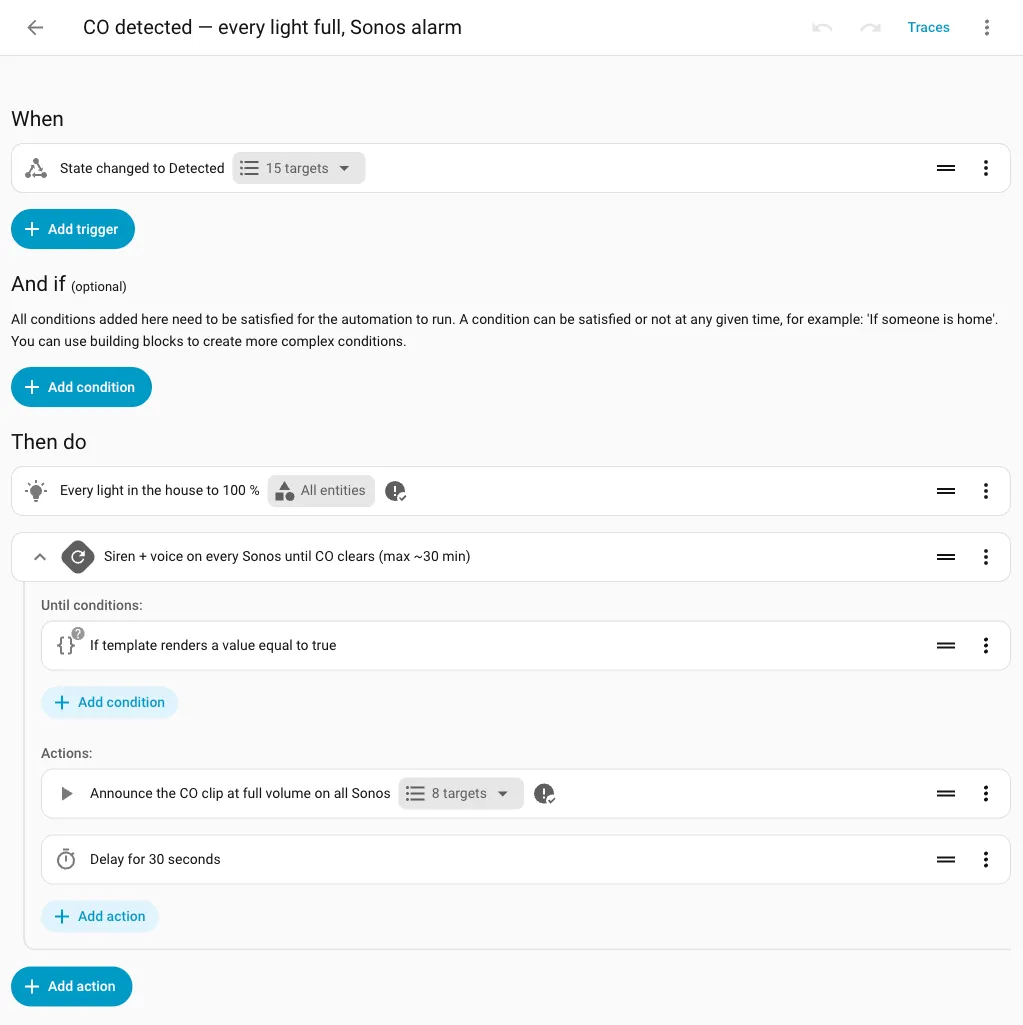
When any CO detector fires, Home Assistant turns every light to full and loops a siren and voice on every Sonos until the CO clears.
For a long time, Home Assistant lacked the ability to make indoor noise. I only had sirens, but those were Ring sirens, so they required the cloud and were outdoor-facing. I still haven’t paired my Z-Wave sirens. So while the detector alarm could page my phone, and a leak could automatically close the water valve (Leak to closed valve in 68 ms), nothing in the house itself would react to carbon monoxide.
This gap is more important for CO than for smoke: the first symptom of CO poisoning is drowsiness, so a sleepy person won’t do anything about a phone buzzing on a nightstand. The CDC’s page on carbon monoxide notes that sleepers can die before they experience any symptoms. So what would get someone out of bed? I decided that CO would get a physical whole-house response, while smoke would continue on its existing path.
When any CO detector goes from clear to detected, every light in the house turns on at full brightness. All eight Sonos speakers in the house then play a siren, followed by a spoken warning. This repeats every 30 seconds until the CO level is no longer detected. I’m using the Sonos integration and the announce option of the media player play_media service to play the clip over whatever audio is currently playing.
It’s all local. The siren+voice clip is an mp3 in Home Assistant’s www folder, streamed over the local network to the speakers. No internet usage, so it works even during an outage. That’s why I didn’t want to use the Ring sirens. Smoke is handled separately by the detectors’ own horns and critical phone pages.
The first play was at a quiet volume 8 on the master bedroom Sonos, just to prove the file loaded and the speaker announces. Then I played the clip myself on the parlour Playbar at louder levels to get a sense of the room experience. I tested the clip only; I’ve never triggered the full chain with real CO.
My favorite part of this is the Silence button. Once everyone is awake, the siren going off every 30 seconds is pointless. The way I handle that is to turn off the automation, then turn it back on, which stops any run in progress (the automation docs talk about turning one off to stop its actions). The automation only fires on a clear → CO transition, so a lingering CO level won’t restart it. But a new detection will restart it, so Silence never leaves the house unprotected for the next one.
Tip · How Silence stops the loop
Turning the automation off and then on will stop any run in progress. The trigger is clear → CO only, so a lingering CO level won’t restart it, but a new detection will.
The detectors do it differently: the SMCO410 manual says its CO silence is about 4 minutes, and “if CO levels remain or continue to increase, the horn will start sounding again.” I thought about copying that for the house, but decided against it: different jobs.. the horn nags its own room, the house alarm wakes everyone once, then gets ready for the next detection. The Silence silences only the house loop, the detectors’ horns are untouched.
The Silence tile started out on the kids’ dashboard.. I took it off, a house-wide alarm silencer doesn’t belong where kids tap things. The Z-Wave sirens are the durable answer for smoke and CO, and pairing them is the real fix for the missing indoor alarm. This version works now with existing lights and speakers. Next idea: use the Silence as an action button on a critical CO phone alert, so that whoever is paged can stop the loop without going to the dashboard.
Warning · Silence stops only the house loop
I had initially put the silence tile on the kids’ dashboard, but then took it off. The silence command only stops the house loop from playing, it doesn’t do anything to the detectors’ horns.